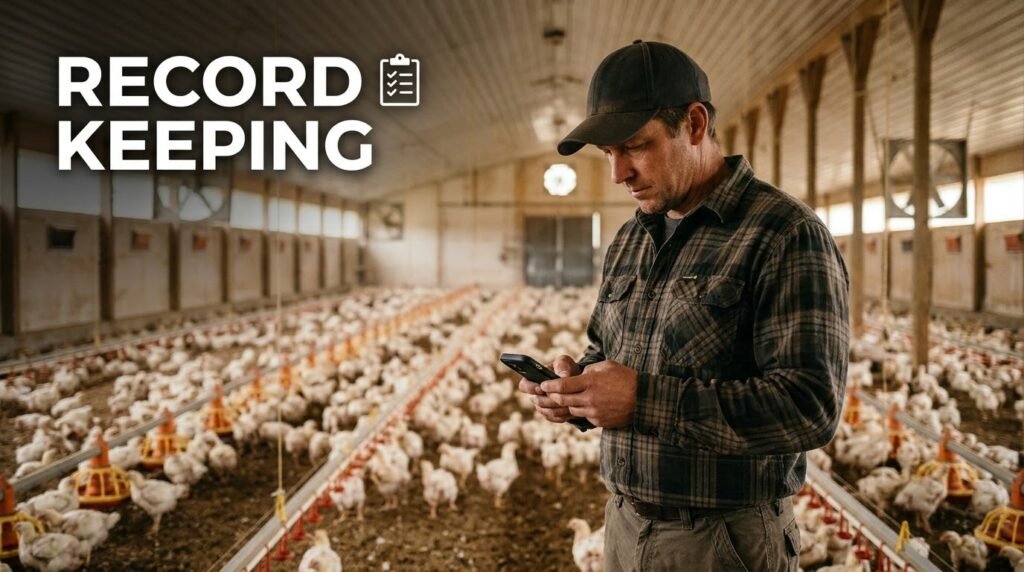
Feed is one of the major expenses on many poultry farms, but feed cost is only part of the picture. Farmers also need to monitor bird numbers, mortality, egg production, medicines, labour, sales and other expenses. Without reliable records, it can be difficult to tell whether a flock or production cycle actually made money. Poultry farm record-keeping apps help organize this information so farmers can make decisions using recorded figures instead of memory alone.
In this guide: Learn which poultry records to keep, the features to compare in farm apps, how to track costs and production, and how to choose a practical tool for a small or commercial poultry operation.
What Are Poultry Farm Record-Keeping Apps?
Poultry farm record-keeping apps are digital tools that help farmers record and review daily farm activities. Depending on the software, they may manage flock numbers, feed consumption, egg collection, mortality, vaccination schedules, inventory, expenses, sales and production reports.
Instead of keeping every detail in separate notebooks, a farmer may be able to organize records by flock, pen, batch or production cycle. Some tools also calculate performance indicators or create reports from the information entered.
These apps are not all identical. Some concentrate on simple daily records, while others include financial tracking, staff access, inventory management or broader farm-management features. The right choice depends on your farm’s size, production system and record-keeping needs.
Why Digital Record-Keeping Matters for Poultry Farmers
1. Understand your feed costs
Feed purchases and feed consumption should be recorded separately. Purchases show how much feed entered your store, while daily usage shows how much was issued to the birds. Recording both helps you reconcile stock and investigate unexplained differences.
For example, if you purchase 20 bags of feed, record the quantity received, the date, the price and the supplier. Then record the bags or kilograms issued to each flock. Your remaining stock should be checked against the quantity expected from your records.
2. Monitor mortality and bird numbers
Record the number of birds at the start of a cycle and update the flock count whenever mortality, culling, transfers or sales occur. This helps you avoid calculating feed use, production or sales against an outdated bird count.
Consistent records may also help you notice changes that require investigation. An unusual increase in mortality should prompt a timely assessment of the birds, environment and management practices, with veterinary advice where appropriate. An app cannot replace professional diagnosis.
3. Track egg production and sales
Layer farmers can record eggs collected each day, broken or damaged eggs, eggs sold, eggs used on the farm and closing stock. Recording these figures separately helps explain the difference between total collection and eggs available for sale.
Comparing production over time can reveal changes that deserve attention. However, egg production should be interpreted alongside flock age, health, feed, water availability and other relevant conditions rather than relying on one figure alone.
4. Record expenses and income
A poultry farm may have expenses for day-old chicks, feed, vaccines, veterinary care, labour, transport, electricity, equipment and maintenance. Sales may come from eggs, spent layers, broilers, manure or other farm products.
Recording these transactions consistently helps you prepare a more reliable financial summary. Separate farm transactions from personal spending, and retain receipts or other supporting records wherever possible.
5. Compare one production cycle with another
When records are organized by flock or batch, you can compare costs, mortality, production, sales and results across completed cycles. That makes it easier to identify changes and ask useful questions before starting the next batch.
Remember that a comparison is only as reliable as the information entered. Missing purchases, unrecorded sales or incorrect bird counts can distort the results.
Essential Features to Look for in a Poultry Farm App
Flock and batch management
The app should let you identify each flock by its start date, bird type, opening quantity and relevant details. If you run multiple pens or production cycles, check whether records can be separated clearly.
Feed usage and stock records
Look for a way to record feed purchases, feed issued to each flock and remaining stock. If feed is a major cost for your operation, check whether the app can summarize usage and costs over a selected period.
Mortality and health records
Useful tools may allow you to record deaths, culls, treatments, vaccinations and relevant dates. Reminders can help organize scheduled tasks, but they should follow a suitable veterinary or farm-health plan rather than replace professional guidance.
Egg production tracking
Layer farmers should look for daily egg collection records and the ability to separate saleable eggs from broken, damaged or otherwise unavailable stock. It is also useful to track eggs sold and the balance remaining.
Expenses, sales and financial reports
Check whether the app records income and expenses separately, supports your preferred currency and lets you review results by flock or production cycle. Some apps offer downloadable reports, but you should confirm which report formats are supported before relying on them for business records.
Offline access and backup
Internet connectivity may be unreliable at some farm locations. If this affects your operation, test whether the app allows you to enter records offline and what happens when the connection returns.
Also check how records are backed up, whether you can export them and how you would recover your data if your phone were lost or damaged. Offline operation does not automatically guarantee secure backups.
Staff access and ease of use
If attendants enter records, check whether the app supports multiple users, suitable access permissions and a history of changes. Test the daily entry process on the actual phones your team will use.
A feature-rich app is not useful if the people responsible for entering records find it too difficult to use consistently.
Examples of Poultry Record-Keeping Apps to Research
The following are examples of tools to investigate, not a ranking or an endorsement. Features, supported devices, prices and availability can change. Verify the current details with the developer or official app listing before adopting any tool.
FSI Farm Manager: Poultry
This poultry-focused app listing describes features for daily flock records, feed, water, mortality, weight, egg collection, expenses and sales. It also describes vaccination and treatment schedules, production-cycle calculations and report exports.
What to check: Confirm compatibility with your phone, the current feature set, backup arrangements and whether its record-keeping workflow suits your farm.
Poultry Pro
This app listing describes flock and batch records, egg collection, feed use, mortality, vaccination reminders, sales, expenses, inventory and reports. It also advertises offline use.
What to check: Test its record-entry workflow and data backup options. Confirm that the available reporting and financial features meet your needs.
famaPro: Farm Records & Profit
famaPro describes farm records and profitability tracking across several agricultural activities, including poultry. Its listed features include production cycles, expenses, sales, inventory, reminders and downloadable reports.
What to check: Decide whether you need a poultry-specific tool or a broader system for several farming activities. Review the current plan and any paid features before entering all your farm records.
These examples illustrate different approaches to digital farm management. The best app for your operation is the one that supports the records you need, works reliably on your devices and allows you to retrieve your data when required.
How to Choose an App for a Small or Commercial Poultry Farm
For a small backyard poultry farm
A small farm may need only flock counts, daily feed records, mortality, egg collection, purchases, sales and a basic summary of expenses. A simple tool that is quick to update may be better than a complex system with features you will never use.
If you keep only a small number of birds, consider whether a well-organized spreadsheet or paper record book is enough for now. Digital software becomes more valuable when it saves time, improves consistency or makes information easier to review.
For a growing broiler farm
Broiler farmers should prioritize batch records, feed consumption, mortality, weights, purchases, sales and the total cost of each production cycle.
Check whether the app can separate different batches and show the quantities and costs associated with each one. This helps prevent records from different cycles from being mixed together.
For a layer farm
Layer farmers should prioritize daily egg collection, damaged eggs, sales, closing egg stock, feed consumption, mortality and recurring expenses.
If you manage several houses, check whether the software can separate production records by house or flock. Make sure the summaries match the way you count and sell eggs on your farm.
For a multi-site or staff-managed farm
Larger operations may need staff permissions, multiple locations, audit history, inventory management and consolidated reports. Test whether the system can show both individual flock performance and an overall farm summary.
Before committing, find out whether additional users, locations, data exports or advanced reports require a paid plan.
How to Start Keeping Better Poultry Records
Step 1: Set up your farm and flock details
Enter the farm name and create a separate record for each flock or batch. Record the start date, type of birds, opening quantity and any other details needed to identify that group correctly.
Step 2: Record daily activities
At a consistent time each day, record the information relevant to your operation:
- Birds that died, were culled, transferred or sold.
- Feed issued to each flock and any stock received.
- Eggs collected, damaged, sold or retained, where applicable.
- Relevant health events and scheduled treatments.
- Expenses and sales made during the day.
Use consistent units and record transactions as they happen whenever possible. Avoid estimating figures from memory at the end of the week.
Step 3: Check the records against the farm
Compare recorded bird numbers with actual counts, feed stock with physical stock and egg balances with the eggs available. Investigate differences and correct genuine errors using a clear record of what changed.
Step 4: Review the figures weekly
Review feed consumption, mortality, production, sales and expenses. Look for unusual changes, missing entries or differences between expected and actual stock.
Where a figure looks unusual, investigate the cause before making a major management decision. The app can organize the evidence, but it cannot automatically tell you why a change occurred.
Step 5: Close each production cycle
When a batch is completed or sold, reconcile the final bird count, feed and other expenses, sales proceeds and remaining stock. Keep the completed cycle’s records available for later comparison.
How to Calculate Poultry Costs and Profit
Digital tools can make calculations easier, but it is important to understand what the numbers mean.
Total recorded cost
Add the relevant expenses for the period or production cycle. Depending on your accounting method, this may include chicks, feed, medicines, labour, electricity, transport and other operating expenses. Be consistent about how you treat equipment, depreciation, unpaid bills and other items.
Revenue
Record sales from birds, eggs and other farm products. Use actual sales records rather than assuming that all produced stock has already been sold.
Operating result
A basic operating calculation is:
Operating result = Recorded revenue − Recorded operating expenses
This is a simplified measure, not necessarily the farm’s final accounting profit. The result depends on which expenses and income are included and whether unsold stock, unpaid costs and other accounting adjustments have been considered.
Example: Understanding a production cycle
Imagine a farm records ₦800,000 in sales and ₦650,000 in the operating expenses included in its calculation.
Recorded sales: ₦800,000
Recorded operating expenses: ₦650,000
Operating result: ₦150,000
This example is for illustration only, not an estimate of typical poultry-farm earnings. If some costs are missing, the apparent result will be overstated. Record the complete set of relevant transactions before comparing cycles or making investment decisions.
Common Record-Keeping Mistakes to Avoid
- Recording feed purchases but not feed issued: This makes it difficult to understand consumption and reconcile stock.
- Mixing different flocks: Keep separate records so one batch’s costs and performance do not distort another’s.
- Forgetting small expenses: Transport, repairs and other frequent payments can add up over time.
- Recording sales without checking payment: Distinguish completed payments from outstanding customer balances.
- Ignoring damaged eggs and stock losses: Record relevant losses so inventory figures remain meaningful.
- Failing to back up data: Check export and recovery options before relying entirely on a phone.
- Choosing software based on promises alone: Test the actual features and ask how the tool handles your farm’s records.
- Expecting an app to guarantee profit: Software improves record organization; results still depend on costs, management, market conditions and other factors.
Questions to Ask Before Choosing a Poultry App
- Can I record the flock, pen or batch separately?
- Can I track feed purchases, daily usage and remaining stock?
- Can I record mortality, egg collection, expenses and sales?
- Does it work on my phone and in my farm’s network conditions?
- Can I export or back up my records?
- Can workers enter records without accessing information they do not need?
- What features are free, and which require payment?
- How can I contact support if the app stops working?
- Can I correct mistakes without losing the record of what happened?
Frequently Asked Questions
Are poultry farm record-keeping apps free?
Some apps offer free access, while others charge for certain features or subscriptions. Pricing and plan limits can change. Check the current terms and confirm whether the free version includes the records and reports your farm requires.
Can I manage a poultry farm with my Android phone?
Many farm-management tools are designed for mobile devices, but compatibility differs. Confirm that the specific app supports your phone and test it before transferring important records.
Can poultry record-keeping apps work without internet?
Some apps advertise offline record entry, while others may require a connection for certain functions. Check what works offline, how records synchronize later and how conflicts are handled if multiple people enter information.
Which records should broiler farmers keep?
At minimum, maintain flock numbers, feed consumption, mortality, relevant weights, health events, expenses and sales. Organize these records by batch so you can review each production cycle separately.
Which records should layer farmers keep?
Track bird numbers, daily egg collection, damaged eggs, feed use, mortality, health events, egg sales, other expenses and remaining stock. Separating collection from sales helps maintain a clearer inventory balance.
Will a poultry app automatically make my farm profitable?
No. An app can organize records and help you understand costs and performance, but it cannot guarantee lower expenses or higher profits. Accurate data, appropriate farm management and sound business decisions remain essential.
Final Thoughts
Poultry farm record-keeping apps can help farmers organize feed use, flock numbers, mortality, egg production, expenses and sales in one place. Their value depends on whether they fit the way the farm operates and whether the records are updated consistently.
Start by identifying the information you currently struggle to track. Compare a few suitable tools, test their daily workflow and verify the cost, offline support, backup options and export features. A simple system that you maintain every day is more useful than a sophisticated app filled with incomplete records.
For Digital Software Guide, the goal is to help farmers evaluate digital tools carefully and choose practical solutions for their businesses—not to promise that any app will guarantee a particular farm result.